
Kali Linux is a unique Linux operating system designed by Offensive Security that is mostly utilized for digital investigations, security testing, and ethical hacking. It has numerous built-in tools that can crack passwords, scan networks, and look for vulnerabilities. Kali Linux can be used on a Mac, a virtual machine, or in a dual-boot configuration with another system. People from all over the world contribute to its upkeep and improvement because it is open-source. Installing Kali Linux, utilizing its capabilities, and exploring its most helpful tools are all covered in this article.
Table of Contents
What is Kali Linux?
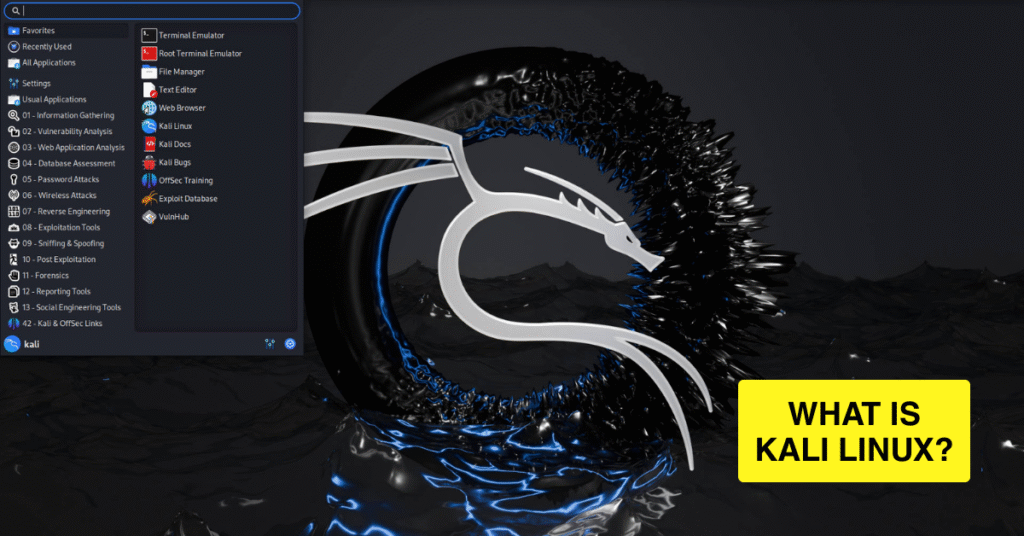
Offensive Security created the open-source Kali Linux operating system, which is well known for its cybersecurity features. Hundreds of tools for network audits, malware analysis, and penetration testing are already included. Kali Linux, in comparison to regular Linux distributions, is designed for security testing. Its dependability and broad community support are the main reasons ethical hackers like it. It is still among the most reliable platforms for security research because of its frequent updates.
How to Setup Kali Linux
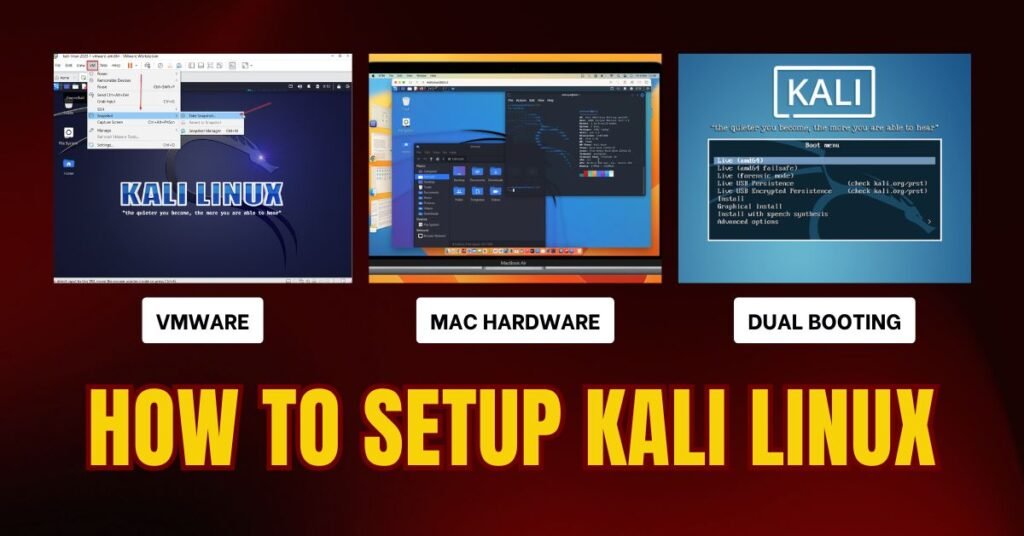
Depending on your hardware and demands, there are multiple ways to install Kali Linux. You can install it on Mac hardware for direct performance, run it in VirtualBox for safe testing, or set it up in a dual-boot configuration with another operating system. Downloading the official ISO, making a bootable USB, and setting up installation parameters are all steps in a different approach. Access to all tools and seamless functioning are guaranteed when the proper procedure is followed. We’ll go into more depth about each installation technique in the upcoming sections.
Kali Linux In Virtual Box
For a secure and private environment, Kali Linux is simple to install in VirtualBox. Installing VirtualBox on your computer and downloading the official Kali Linux ISO are the first steps. Install the ISO as the boot disk after creating a new virtual machine and allocating at least 2GB of RAM. To finish the setup inside the virtual machine, follow the installation instructions. This approach is perfect for testing tools without interfering with the main operating system.
Kali Linux On Mac Hardware
By making a bootable USB and modifying the macOS startup security settings, Kali Linux can be used on Apple devices. Use programs like Balena Etcher to prepare the USB, get the appropriate ISO, and then use it to start your Mac. Additional drivers may be needed for Wi-Fi or graphics capabilities on certain Mac hardware. Direct hardware access is provided for faster performance when installing on a Mac. For anyone who wishes to use their gadget completely for security testing, this method works well.
Kali Linux Dual Booting
Running Kali Linux with Windows or another Linux distribution is made possible by its dual-boot architecture. Start by backing up crucial files and establishing an individual disk for Kali Linux. Select the manual partitioning option after booting from the installation USB. The GRUB bootloader will allow you to choose your operating system at startup after installation. This technique preserves your primary operating system for everyday use while offering full hardware performance.
Kali Linux as an Open-Source Platform
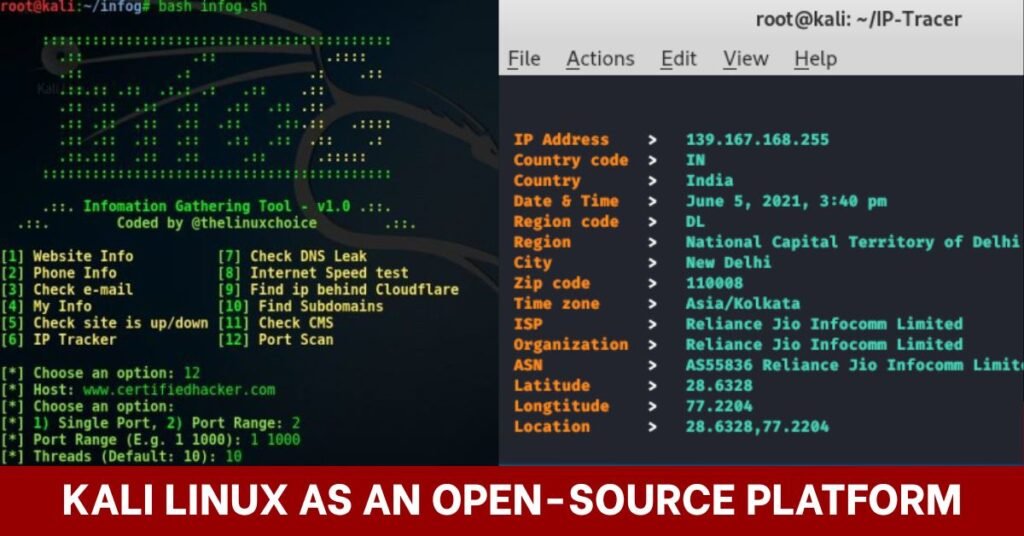
Hundreds of specialized tools for activities like vulnerability evaluation, information gathering, and digital forensics are preloaded on Kali Linux. One of the most dependable and adaptable operating systems for security testing is open-source, which implies that a global community is always updating and improving it. This section will examine the use of Kali Linux for IP address tracking and information gathering, two essential processes in understanding and protecting a network.
Information Gathering
The first step in penetration testing and ethical hacking is information collection. Security experts can gather crucial information about a target system or network, like domain names, server locations, open ports, and active services, by using Kali Linux. Before attempting any exploitation, this data aids in identifying possible vulnerabilities. This method is accurate and efficient thanks to well-known Kali Linux utilities like Nmap, Maltego, and the Harvester, which guarantee that you begin any security evaluation with a solid foundation.
IP Address Tracking
IP address tracking is identifying and examining the IP address linked to a certain system or user. For tracking IP addresses, determining where they’re located, and mapping them to networks or ISPs, Kali Linux offers a variety of tools and methods. This is essential for keeping an eye on network activity, looking into security lapses, and identifying security breaches. For cybersecurity experts, tools like traceroute, WHOIS lookup, and Kali Linux geolocation scripts make this process simple.
Tools Commonly Used in Kali Linux
Kali Linux is well known for its wide collection of cybersecurity tools designed for digital forensics, vulnerability assessment, and penetration testing. Red teams, ethical hackers, and security researchers frequently use these tools to duplicate actual attack situations to find flaws in networks and systems. Some of the most important tools in a security professional’s toolbox are the following ones, which range from network scanners to wireless security testers.
Nmap & Metasploit Framework
In order to locate open ports, services, operating systems, and live hosts, Nmap (Network Mapper) is a crucial tool for network reconnaissance. In order to provide red teams with a comprehensive blueprint of target environments, it also offers advanced features like stealth scanning and scriptable vulnerability discovery through the Nmap Scripting Engine. The Metasploit Framework expands on that analysis by providing an extensive collection of exploits, payloads, and auxiliary modules to mimic actual assaults, incorporate Nmap results, and evaluate the usefulness of vulnerabilities.
Wireshark & Aircrack-ng
A network protocol analyzer called Wireshark records and examines packets in real time, exposing obsolete protocols, unsafe data transfers, and vulnerable communication patterns. With its focus on wireless network security, Aircrack-ng makes it possible to monitor, collect packets, and execute brute-force assaults against WEP and WPA/WPA2 encryption. Security experts may conduct a thorough assessment of both wired and wireless infrastructure by combining these methods.
Conclusion
Experts in digital forensics, ethical hackers, and cybersecurity keep considering Kali Linux as one of the most reliable systems. Because of its adaptability, it may be installed on Mac hardware, in a virtual machine, or via dual-boot, making it accessible for a range of purposes. It enables users to recreate actual attack scenarios and improve security posture with an extensive set of pre-installed tools for network scanning, penetration testing, and vulnerability assessment. Kali Linux is a foundation for contemporary security research and defense tactics because of its ongoing evolution and support from a global open-source community.
FAQ’s
Can I use Kali Linux legally?
Given that Kali Linux is an open-source operating system designed for penetration testing, ethical hacking, and cybersecurity training, using it is absolutely lawful. It is used globally by researchers, students, and security experts to find weaknesses and strengthen system defenses. Its use, however, determines whether it is legal; it is against the law to conduct tests on networks or systems without the required authority. Serious legal repercussions, such as fines or criminal charges, may arise from unauthorized use. Before you test or scan any system, make sure you have permission.
Is it possible to use Kali Linux as my main Operating System?
Although Kali Linux can be used as your primary operating system, it is usually not advised for non-technical, daily use. Kali is made especially for security testing and comes with a number of potentially dangerous tools that might be abused. It might not have the reliability and user-friendly features of Fedora or Ubuntu, two popular general-purpose Linux distributions. It is more appropriate for professionals than for casual users due to its complex toolkits, security-focused setups, and frequent upgrades. For novices, Kali Linux may be better run as a dual boot or in VirtualBox
What kind of hardware does Kali Linux require?
Kali Linux is accessible to the majority of users due to its comparatively low hardware requirements. A suitable 32-bit or 64-bit processor, 2GB of RAM, and 20GB of disk space are the bare minimum requirements. However, 4GB or more of RAM and faster storage, such as an SSD, are strongly advised for seamless performance, particularly when using resource-intensive tools. Desktops, laptops, and even low-power gadgets like Raspberry Pi can run it.