
Imagine a hacker sneaking into your network undetected and stealing confidential data in seconds. Sounds like a thriller movie, right? Unfortunately, this is the reality of today’s digital world. The only way to fight back is with powerful tools that detect vulnerabilities, monitor traffic, and block threats before they spread. In today’s hyper connected world, cyber threats are evolving faster than ever before and protecting digital assets is a top priority for businesses, governments and individuals alike. Network security isn’t just about firewalls and passwords it’s about having the right tools to detect, prevent and respond to attacks before they cause damage. From monitoring suspicious traffic to scanning vulnerabilities to simulating real world exploits, security professionals rely on a powerful arsenal of tools to stay one step ahead of hackers. In this article, we examine the top 10 network security tools that every IT professional should know. Whether you’re a seasoned cybersecurity professional or just starting your journey, these tools from packet analyzers like Wireshark to penetration testing frameworks like Metasploit give you a head start in protecting networks from ever-changing threats.
Network security tools aim to protect devices, technologies, and procedures from cyberattacks, identity theft, and illegal data access. Unauthorized access to data and improper use of the company network are prevented by network security. It comprises software and hardware innovations intended to safeguard data and network security. Network security technologies are essential for protecting your company’s network from various threats that could harm both the system and the network. Network monitoring and data breach protection are made easier by it.
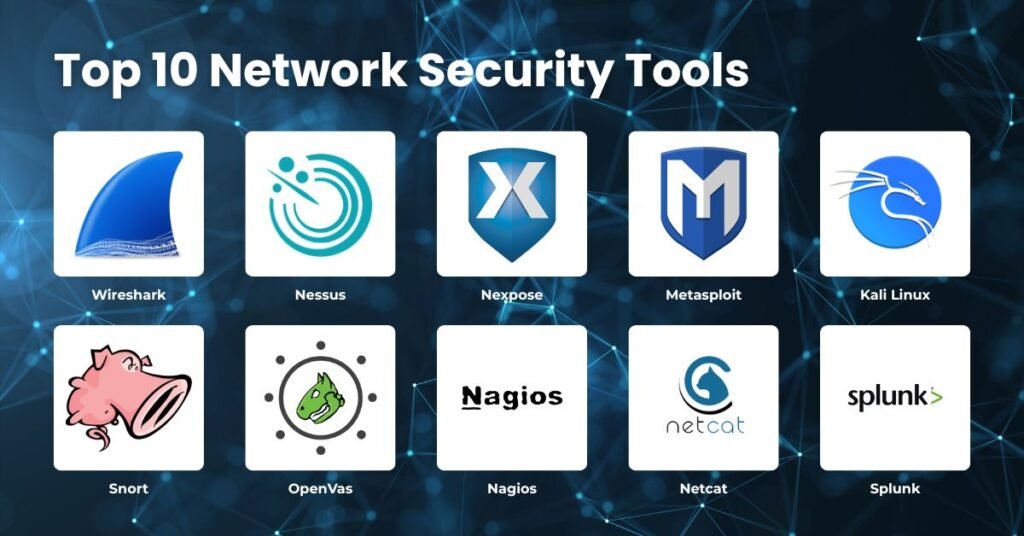
Table of Contents
Top 10 Network Security Tools
1. Wireshark
Wireshark is an open-source network protocol analyzer that aids businesses in tracking, managing, and analyzing network traffic even in the smallest details, as well as capturing real-time data. Wireshark, formerly known as Ethereal, is the world’s most popular and powerful network protocol analyzer. Created by Gerald Combs in 1998 and supported by a large open source software community, it enables administrators, security professionals, and developers to capture and inspect network traffic in real time. Wireshark supports thousands of protocols, advanced filtering options, and visualization tools, giving you unparalleled visibility into how data flows on your network. Its cross-platform availability on Windows, macOS, and Linux makes it accessible to a wide range of users, making it an essential tool for troubleshooting, security analysis, and protocol development.
In addition to its technical capabilities, Wireshark plays a crucial role in identifying and analyzing potential security threats. Although it is not a full-fledged intrusion detection system, it can identify suspicious traffic patterns such as communications with command and control servers, signs of man-in-the-middle attacks, or unusual outgoing data flows that may indicate a data breach. By breaking down packets into OSI or TCP/IP layers and displaying them in a clear three-pane interface, Wireshark gives professionals the ability to diagnose performance problems, investigate anomalies, and even teach students how to understand network behavior. This combination of accessibility, depth, and security makes Wireshark an essential tool in modern network security. The TCP session recreated streams can be viewed by users. Analyzing traffic that comes in and goes out helps in solving network problems.
Feature
Packet Capture The first big advantage of Wireshark is its packet interception capabilities. It can record real-time traffic from various interfaces such as Ethernet and Wi-Fi, and the captured data can be saved for later inspection. This makes it invaluable for troubleshooting and forensic analysis because administrators can replay and study traffic exactly as it occurred.
Protocol Support Wireshark’s protocol support is one of its strongest features, as it can recognize and decode thousands of protocols, ranging from commonly used protocols like HTTP, TCP, and DNS to more specialized or emerging standards, ensuring comprehensive coverage for modern networks. The open source community constantly updates the tool, adding new protocols and refining existing ones, so that users always have access to the latest decryption features.
Visualization Tools Visualization Tools Wireshark also offers visualization tools that make analysis easier. The three-pane interface displays packet lists, detailed breakdowns and raw bytes, while graphs and statistics help visualize traffic patterns. It can even reconstruct TCP streams, allowing users to see entire conversations as they happen.
2. Nexpose
Created by Rapid7, Nexpose is like a security spotlight that scans every nook and cranny of your IT environment to discover hidden risks. Rather than simply enumerating vulnerabilities, dig deep into your systems, applications, and networks and use the RealRisk™ scoring system to prioritize what really matters. This means your team doesn’t waste time looking for low-level issues and can focus on the weaknesses that are most likely to be exploited. With continuous threat intelligence updates from Rapid7, compliance checks for standards like PCI-DSS and HIPAA, and even integration with Metasploit for hands-on testing, Nexpose feels less like a tool and more like a partner to help you stay ahead of the bad guys. What makes it powerful is how it turns findings into action. Nexpose automatically consolidates resources, creates a clear patch plan, and syncs with platforms like Splunk, ServiceNow, and Jira, so no patches are ever lost.
Whether you’re a cybersecurity analyst, IT administrator, or compliance expert, this helps you highlight and eliminate the most critical vulnerabilities, such as missing patches, misconfigured firewalls, and web application flaws. In fact, digitalization is not the only issue. It’s about quickly reducing your attack surface and giving your team the confidence to keep your organization safe. Nexpose is a network security program that lowers network risks and gives real-time information on vulnerabilities. Furthermore, Nexpose enables users to assign a risk score to vulnerabilities found, allowing them to be ranked according to security levels. Nexpose facilitates real-time network scanning and vulnerability detection for IT teams. Additionally, it constantly updates and adjusts to new data and software threats.
Features
RealRisk™ Scoring System Nexpose goes beyond the list of vulnerabilities and assigns a risk score to each vulnerability. This prioritization helps teams focus on the most critical issues that can be exploited, saving time and resources while strengthening the overall security posture.
Continuous Threat Intelligence With regular Rapid7 updates, Nexpose stays up to date with the latest threats and vulnerabilities. This ensures that IT teams are always scanning for current risks, allowing the tool to adapt to changing cyber landscapes and newly discovered exploits.
Compliance and integration Nexpose supports compliance checks for standards like PCI-DSS and HIPAA, making it valuable for regulated industries. Plus, it integrates seamlessly with platforms like Metasploit, Splunk, ServiceNow, and Jira, turning vulnerability findings into actionable patch plans.
3. Splunk
Splunk is like having a superpower for your data. Instead of drowning in endless logs and machine outputs, it helps you make sense of everything in real time. With its easy-to-use dashboards, interactive charts, and the ability to pull in data from almost any format, Splunk turns raw information into clear insights you can actually act on. Whether it’s spotting a problem before it escalates, keeping systems secure, or simply understanding how your business is running, Splunk makes the complex feel simple and gives teams the confidence to move faster and smarter.
What makes Splunk so important is how it bridges the gap between big data and meaningful decision-making. In a world where every click, transaction, and system event creates insight, Splunk helps you cut through the noise and understand what really matters. It’s not just about troubleshooting, it’s also about unlocking opportunities, increasing productivity, and preventing risks. Think of it as your organization’s data compass. Guide you toward clarity, resilience, and innovation while saving time and increasing productivity. Splunk is employed to keep an eye on network security. It offers both historical data searches and real-time data analysis. This cloud-based technology offers insights for hybrid cloud data analytics at the petabyte scale. The search feature of Splunk makes application monitoring simple and intuitive.
It has a user interface for gathering, indexing, and compiling data as well as for producing dashboards, graphs, reports, and alerts instantly.
Features
Index and search real time data Splunk instantly collects and indexes machine data, allowing users to search logs and events in real time without relying on traditional databases.
Interactive dashboards and visualizations It provides customizable dashboards with charts, graphs, and reports that make complex data easy to understand and share across teams.
Alerts and monitoring Splunk generates automatic alerts based on specific conditions, enabling organizations to detect anomalies, resolve issues, and respond quickly to threats.
Scalability and flexibility Splunk is built to handle large amounts of data, easily scales to enterprise environments, and supports multiple data formats such as CSV, JSON, and log files.
Integrating machine learning and artificial intelligence Splunk integrates machine learning models to identify patterns, predict future trends, and improve operational analysis.
Application development and SDK Developers can use the Splunk SDK to build real-time data applications, allowing them to innovate faster without incurring significant infrastructure costs.
With integrated threat intelligence, it speeds up investigations and aids in alert prioritization.
Splunk maps alerts to cybersecurity frameworks, assigns risk to persons and systems, and initiates alerts when the risk is above a certain threshold.
4. Nagios
Nagios is like a watchdog that monitors your IT systems. Rather than waiting for a problem to occur and cause downtime, Nagios monitors everything from your servers, network, applications, and services to help you find and resolve problems before they get out of hand. This can be configured in two ways. One option is to install agents directly on the server for detailed monitoring, and the other option is agentless, using existing protocols such as SNMP and SSH to collect data without additional software. In either case, you can monitor what matters (CPU usage, disk space, service status) and get a clear view of the status of your system in real time.
What makes Nagios particularly powerful is the way it communicates and reacts. The dashboard gives you a snapshot of what’s happening, and if something crosses a threshold (like high CPU usage or low disk space), you’ll receive an alert via email or SMS so you can take immediate action. Its plugins and scripts allow you to extend monitoring to almost anything, and even automate remediation (such as restarting a failed service) via event handlers. Plus, it’s cloud-ready: Nagios easily integrates with AWS, allowing you to monitor your local and cloud systems from one place. In short, Nagios not only alerts you when something goes wrong, it helps you stay ahead of the curve, maintain system reliability, and provide peace of mind for your team.
Features
Flexible monitoring settings Supports both agent-based monitoring (installing lightweight agents on servers) and agentless monitoring (using protocols such as SNMP, SSH, and WMI).
Real-time dashboards and alerts View system status visually on the dashboard and send instant alerts via email, SMS, or other channels when thresholds are exceeded.
Plugin architecture Enhance your monitoring capabilities for a variety of applications, services, and devices with thousands of public and custom plugins.
Event handlers and automation You can automatically run scripts and commands when a problem occurs, such as restarting a failed service or performing recovery actions.
Cloud cooperation (AWS etc.) Easily integrates with cloud environments such as AWS, allowing you to monitor both on-premises and cloud infrastructure through a single interface.
5. Nessus Professional
Nessus Professional is one of the most trusted vulnerability scanners used around the world to strengthen organizations’ cybersecurity defenses. Developed by Tenable, this tool specializes in identifying weaknesses in IT environments, from operating systems and databases to cloud platforms, web applications, and even industrial control systems. Nessus provides fast asset discovery, configuration auditing, malware detection, and sensitive data detection, making it a comprehensive solution to reduce your attack surface and ensure compliance. Built on Tenable’s constantly updated library of vulnerability checks, Nessus delivers fast, accurate, and reliable results to address evolving threats.
What makes Nessus particularly valuable is its flexibility and depth. It supports authenticated and unauthenticated analytics, seamlessly integrates with cloud services like AWS and Azure, and provides custom reports in a variety of formats for technical teams and executives. Administrators can use CVSS-based scores to prioritize risks and leverage frameworks like Metasploit to match vulnerabilities and automate remediation recommendations. With a low total cost of ownership, scalable deployment options, and continuous updates from our research team, Tenable Nessus helps organizations stay compliant, minimize risk, and maintain confidence in their security.
Features
Fast asset discovery Nessus quickly identifies devices, applications, and services on your network, giving you complete visibility into your organization’s IT environment. This helps detect hidden assets that may pose a security risk.
Comprehensive vulnerability scan Scan operating systems, databases, cloud platforms, and web applications for vulnerabilities. Scanning with and without credentials is supported and meets compliance standards such as PCI DSS.
Flexible reporting and notifications Nessus provides customizable reports in formats such as PDF, HTML, CSV, and XML. Administrators also receive targeted email notifications with recommendations for remediation and analysis improvements.
Risk prioritization and operational correlation Detected vulnerabilities are classified using the CVSS scoring system. Nessus correlates results with operational frameworks like Metasploit, allowing teams to focus on the biggest and most vulnerable risks first.

6. Metasploit
Metasploit appears to be a set of tools that helps cybersecurity professionals think and act like hackers, but for good reason. Originally created in 2003 and then rewritten in Ruby, it gives security teams the ability to simulate real world attacks on their systems. Its structure made up of interfaces, libraries, modules, tools, and plugins works together to make penetration testing smoother and more powerful. With it, teams can automate repetitive tasks, uncover vulnerabilities, and even present clear reports to executives that show where the biggest risks lie. Simply put, Metasploit helps organizations see their systems through the eyes of an attacker so they can fix weaknesses before an attacker takes advantage.
However, Metasploit isn’t perfect. Because it’s open and widely available, hackers can exploit it just as easily as ethics examiners. There are also legal gray areas. Testing cloud services and third-party platforms without explicit permission can get even well-meaning professionals into trouble. Additionally, an exploit could cause the application to crash or cause an unexpected crash. Also, while Metasploit is powerful, it does not cover all possible vulnerabilities. This means teams need other tools to respond to new threats that are emerging rapidly. As such, Metasploit is a cornerstone of modern cybersecurity and works best as part of a broader strategy that combines technical testing with continuous monitoring and intelligent risk management.
Features
Exploit database access Comes with a large collection of ready-to-use exploits for known vulnerabilities, making it easy to test your system against real-world threats.
Post exploitation tools: Provide the ability to maintain access, escalate privileges, collect data, and simulate advanced attacker behavior after a system has been compromised.
Cross platform support: Works across multiple operating systems and integrates with other tools, providing flexibility in a variety of testing environments.
Auxiliary modules: Provide non-exploitable modules such as scanners, fuzzers, and sniffers to gather intelligence and test your system without launching a full attack.
7. Snort
Cisco created the open-source Snort Network Intrusion Detection System (NIDS). In order to identify and stop harmful activities such as port scans, buffer overflows, DoS attacks, and more, it continuously monitors network traffic. Snort analyzes packets using a rule-based framework to block threats or issue alerts. Snort is an open source intrusion detection and prevention system (IDS/IPS) that plays a key role in protecting networks from malicious activity. It works by monitoring Internet Protocol (IP) traffic in real time and applying a flexible rules-based language to identify suspicious patterns. Unlike traditional signature-based systems that only detect known threats, Snort combines protocol analysis, signature matching, and anomaly detection to identify well-known and new attack vectors. This allows it to run on virtually any operating system and adapt to changing threats by creating its own rules, making it a versatile tool for organizations that require platform-independent security.
In addition to intrusion detection, Snort can also act as a packet sniffer or logger, capturing and storing traffic for further analysis. Its rules language allows administrators to define specific actions such as alerting, blocking, dropping, logging, and forwarding packets based on traffic behavior. This flexibility allows Snort to detect a wide range of attacks, including DoS/DDoS floods, buffer overflows, spoofing attempts, CGI vulnerabilities, and stealth port scans. Snort uses a packet capture library (libpcap) to efficiently inspect traffic and apply rules, making it a powerful tool not only for threat detection but also for proactive prevention and forensic investigation.
Feature
Real-time traffic analysis Snort inspects network traffic in real time and analyzes packets as they travel on your network. This allows you to instantly detect suspicious activity before any damage is done.
Rule-based detection A flexible rules language allows administrators to define their own rules to identify malicious behavior. Adjust rules to match protocols, ports, and payload content for precise monitoring.
Intrusion detection and prevention Snort acts as both an IDS and an IPS. This means it can not only detect threats, but also block or remove malicious packages. This dual functionality strengthens your network defenses against active attacks.
Packet analysis and logging Snort can operate in sniffer mode to capture and display packets, or in log mode to save traffic for later analysis. This is useful for debugging, forensic investigations, and compliance checks.
Multimode operation It supports three modes: analyzer, packet logger, and network intrusion detection/prevention. Each mode provides different levels of visibility and control depending on your organization’s needs.
8. Openvas
OpenVAS (Open Vulnerability Assessment System) is a widely used open source tool designed to identify and manage security vulnerabilities in computer systems and networks. Developed by Greenbone since 2006, it offers comprehensive scanning capabilities including certified and uncertified tests, support for numerous internet and industrial protocols, and a daily updated vulnerability feed. This makes it a powerful solution for detecting issues such as configuration errors, outdated software, missing patches, and weak passwords that can be exploited by attackers. Security professionals often rely on OpenVAS to strengthen their organizations’ defenses, proactively finding and eliminating weaknesses before they can be attacked.
OpenVAS is a comprehensive vulnerability management framework that goes beyond simple analysis to help organizations improve their overall cybersecurity posture. It provides performance tuning for large-scale analysis, a flexible backend programming language for writing custom vulnerability tests, and integration with other open source modules in Greenbone Community Edition. By continuously monitoring systems and providing detailed reports, OpenVAS informs IT teams about potential risks and guides them toward remediation strategies. Its open source nature makes it accessible to businesses, educational institutions, and individuals, providing a cost-effective way to discover and implement professional-level vulnerability assessment practices.
Feature
Comprehensive vulnerability scan Detect configuration errors, outdated software, missing patches, and weak passwords. Run thousands of vulnerability tests with daily updates from the Greenbone community feed.
Authenticated and Unauthenticated Authenticated scans allow for deeper inspection of your system using valid credentials. Unauthenticated scans simulate external attacks without login access.
Protocol support Works with high-level (HTTP, SMTP, FTP) and low-level Internet/industrial protocols. It is useful in a variety of environments, including enterprise IT systems and industrial control systems.
Performance tuning for large-scale scans Optimized for multi-host enterprise networks. Settings that allow you to adjust the balance between speed and accuracy.
Customizable: Adaptable setups for various scanning requirements.
Active Community Support: Strong support for troubleshooting from the community. Cross-Platform Efficiency
Compatible with multiple Linux distributions.
9. Netcat
A strong networking tool for reading from and writing to network connections utilizing TCP or UDP is called Netcat, which is sometimes shortened to nc. Because of its ease of use and versatility, it is frequently referred to as the “Swiss Army Knife” of networking. System administrators, network engineers, and ethical hackers frequently utilize it for file transfers, port scanning, diagnostics, and even to create backdoors during penetration testing. Netcat is like a friend that always has a tool for every situation. When you want to find out if a door is locked, imagine having a master key that lets you instantly check instead of fiddling with the door. This is exactly what Netcat does for computer networks. You can check ports, send messages, and quickly establish connections between two computers without the need for complex software. People often refer to it as the “Swiss Army Knife of networking” because it’s so lightweight and flexible. Whether you’re an IT professional checking the status of a server or a student experimenting with ways to transfer data, Netcat makes it easy to see what’s really going on under the hood.
When it comes to teaching, Netcat is a great hands-on teacher. In addition to reading about how networks work, you can play with them by creating mini-chats, testing firewall rules, and seeing how information flows from one computer to another. It’s like opening the hood of your car to see how the engine works, but the “engine” here is the Internet. Of course, like any powerful tool, it can be misused, so it’s important to use it responsibly. But when used correctly, Netcat can unlock the mysteries of the invisible world of networking and, with some clever tricks, give you access to it like solving a puzzle.
Features
Connection port Netcat can connect to any port on the target machine and check whether the port is open or closed. This is very useful if you want to quickly check if a service is running without using heavy tools. Think of it like a digital knock on the door to see if someone is home.
File transfer Netcat allows you to quickly and easily transfer files between systems. No FTP or complicated configuration required. Just run a simple command and your files will be sent. Perfect for easy and simple file sharing.
Fast & Lightweight: It has a small footprint and carries out commands without overhead.
Versatile Use Cases: It manages a variety of network functions, including file transfers and port listening.
10. Netmap
A free, open-source program called Nmap (Network Mapper) is used for vulnerability assessment, security audits, and network discovery. For locating devices, open ports, services, and security flaws on a network, it’s one of the most widely used tools among system administrators and ethical hackers. NetMap is a type of map maker for complex systems. It transforms invisible things, such as computer networks and the flow of water on Earth, into images that can be seen and understood. For those who work in IT, this means drawing a diagram of all the devices on the network so you can determine which devices are connected, which ones are overloaded, and where problems may occur. Rather than guessing what’s going on behind the scenes, NetMap shows it clearly, like turning a messy website into a neat roadmap.
Advantage
Highly customizable provides a range of choices, script automation, and scan types.
Quick & Effective: Designed to swiftly scan big networks.
Cross-Platform: Compatible with Windows, macOS, and Linux.
Curve of Learning knowledge and experience are necessary for advanced features and scripts.
Not a Complete vulnerability analysis ToolUnlike OpenVAS or Nessus, it detects possible problems but does not thoroughly examine vulnerabilities.
Might Overcome Goals aggressive scanning have the potential to overload trigger blocks or weaker systems.
The following are some advantages of Network Security Tools
- By keeping you in compliance with rules and preventing breaches, network security products will reduce the financial and business effect of any violation.
- Network security offers several degrees of protection to expand your company’s reach and give your staff a better working environment.
- It ensures the security of any private data and information transferred over the network.
- Let’s now examine the top ten tools for network security
Conclusion
Network security is no longer a luxury. It is a necessity in the digital age. The tools we’ve explored, from Wireshark’s deep packet analysis to the penetration testing power of Metasploit, form the backbone of a robust defense strategy. Each plays a unique role in identifying vulnerabilities, monitoring activities, and protecting systems from ever-evolving cyber threats. While no single tool can guarantee complete protection, their strategic combination creates a layered security approach that significantly reduces risk.
Whether you’re an IT professional protecting corporate networks or a student venturing into the world of cybersecurity, mastering these tools will give you the confidence and ability to stay one step ahead of attackers. Ultimately, cybersecurity isn’t just about technology: it’s about vigilance, adaptability, and the right arsenal of tools. With these top 10 at your disposal, you are better equipped to protect what matters most in our interconnected world. To safeguard users, systems, and data from online attacks, network security is crucial. Organizations can efficiently identify, prevent, and respond to threats by using the appropriate tools and procedures, which will keep their digital environments safe and secure.
Faq’s
1. What are network security tools and why are they important?
Network security tools are software or frameworks designed to monitor, detect, and prevent cyber threats. They are essential because they help protect sensitive data, maintain system integrity, and protect organizations from costly breaches.
2. Which tool is best for beginners in cybersecurity?
For beginners, Wireshark and Snort are great places to start. Wireshark helps you visually analyze network traffic, while Snort is widely used for intrusion detection. Both are easy to use and have strong community support.
3. Are these tools free or paid?
Some tools like Wireshark, Snort, Netcat and OpenVAS are open source and free. Others, like Nessus Professional, Nexpose, and Splunk, offer paid versions with advanced features and enterprise support.
4. Can these tools completely secure a network?
No single tool can guarantee complete security. The best approach is a layered defense strategy that combines multiple monitoring, vulnerability scanning, intrusion detection, and penetration testing tools.